
Work Sessions Page
The work sessions page allows you to view all work sessions assigned to you.
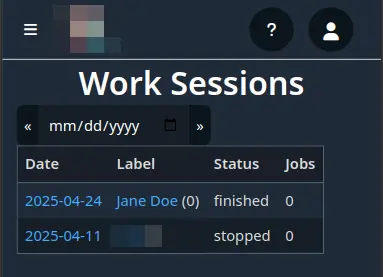
Dateshows the date when the work should performed. Clicking on it will show other work sessions for that date (that you have access to).Labelshows the name of the session. Clicking it will take you to the session details page where you can start and stop tracking, as well as see details such as jobs and workers.Statusis the status of sessions e.g.ready,started,stopped,finished, etc.Jobsis the number of jobs assigned to that session.