
Timesheet Page
The timesheets page displays a log of time worked by you and your team members for a given date range.
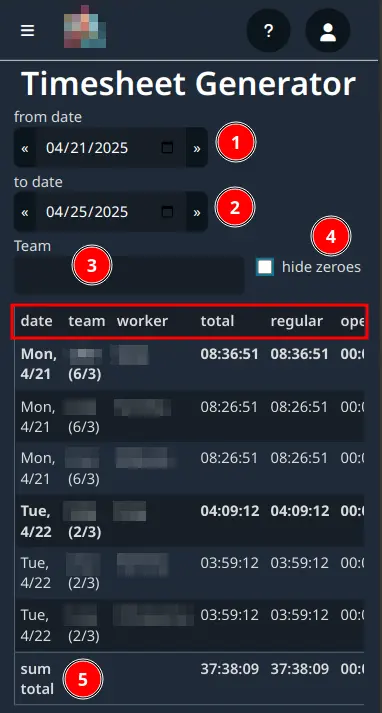
from date: Select the start date of the timesheet.to date: Select the end date of the timesheet.TeamFilter: Type in a team name to filter the timesheet by team.hide zeros: Check to hide any sessions that has no time worked.sum total: The total time worked for the selected date range by all.